Tampilkan postingan dengan label Photography. Tampilkan semua postingan

Rabu, 02 Mei 2012

Camera FV-5 v1.14


Camera FV-5 v1.14 play.google.com.camera.pro
Tailored to enthusiast and professional photographers, with this camera application you can capture the best raw photographs so that you can post-process them later and get stunning results. The only limit is your imagination and creativity!

Features :
  • All photographic parameters are adjustable and always at hand: exposure compensation, ISO, light metering mode, focus mode, white balance and program mode.
  • DSLR-like viewfinder display: see exposure time, aperture and stops display with EV and bracketing settings.
  • Full fledged exposure bracketing: from 3 to 7 frames, unlimited stops spacing, plus custom EV shifting.
  • Built-in intervalometer: make stunning timelapses (even bracketed/HDR timelapses) and time-controlled picture series.
  • Program and Speed-priority modes.
  • Long exposure support: take beautiful night photos and light trails with long exposure times up to 60 seconds*.
  • JPEG as well as RAW (PNG) image formats for lossless photo capturing, perfect for post-processing.
  • EXIF and XMP sidecar metadata support.
  • Self timer for delayed shooting.
  • Autofocus, macro, touch-to-focus** and infinity focus modes, plus a focus lock switch (AF-L).
  • In background photo developing and processing allows a smooth, uninterrupted camera operation.
This camera application completely avoids scene modes, instead you get full manual control over all photographic parameters, just like you do with a reflex camera, so you can ultimately control every aspect of the picture, and leave the post-processing to the computer. So after your DSLR, you will never miss a photo opportunity again, being able to capture it with the closer sensation to your DSLR as possible.

What's in this version: (Updated Apr 30, 2012)
  • New: added support for physical shutter key on devices with one present. Behaviour is the same as the virtual shutter button.
  • New: added a visual folder picker dialog for custom storage location.
  • New: added specific support for Huawei U8815.
  • Fixed: if custom storage folder is deleted, renamed or somehow doesn't exist, the default DCIM/100_CFV5 folder is used, thus preventing losing photos.
  • Other bugfixes.
Required Android O/S : 2.2+


Download : 1.2Mb APK
 

Selasa, 01 Mei 2012

Night Camera+ v1.11


Night Camera+ v1.11 market.android.com.night_plus

"Sorry for the quality, mobile." Almost everyone makes excuses when publishing a photo taken with a camera phone. What are the problems taking good quality pictures with camera phones and is there a way to solve them and bridge the gap between camera phones and compact cameras?

You may think there is very little difference between a cell phone camera and a point-and-shoot camera. Nowadays, mobile phone cameras have enough megapixels. The phones have enough storage capacity. Even the lens quality is not as bad as before and can compete with low-end compact cameras.

At the same time, a big gap still exists when it comes to the basis of photography – the light source. If you take pictures in daylight, you may be satisfied with the quality of mobile images. However, when you move to a less bright indoor environment, you start to notice the difference. 

Features : 
  • No blur, no noise!
  • Full resolution
  • Advanced low light technique
  • Location tagging
  • Shutter sound can be muted
  • Support for Flash on/off/auto
Required Android O/S : 2.2+


Download : 500Kb APK

http://filemac.com/yzdcc2x0qai4.html Night Camera+ v1.11

Minggu, 29 April 2012

Photo Mate v7.05


Photo Mate v7.05 play.google.com.pictureinfo
Photo Mate offers a high-quality preview of various image formats (jpg, png, cr2, psd, ...) as well as other raw formats. View image files up to 100 MP in great quality!
Compatility notice: If you encounter crashes/force close, please deactivate the option "Render folder content" in the preferences.

Set a slideshow of your favourite images as a live wallpaper on your desktop! Shake the device to switch the image.

Get all interesting exif-data from all your files files like camera model, iso, aperture, exposure + exposure-time and other available information.

Works for almost every camera-data.

If available, you can get the position where the image was taken shown in Google Maps.

You can also show a histogram to get the overall brightness of your image. In addition, you can see over/under-exposured areas highlighted right in the image!

Use Photo Mate to navigate through your photo collection. The view is separated into two parts (Image-List + Image-Information) - plain and clear.
Rate your favourite images - and filter them to show only your best pictures in a slideshow or even on a map.
You want to show some of your pictures to friends or the family? Use the nice-looking slide show option.
Convert raw-pictures or other file format to jpg or png.

Use the batch-progressing features to copy and/or convert a whole image folder (for example, convert all raw images to jpg images).

View a folder of images on the map! With geotagged images, you can look where you took them! (Most phones automatically tag images)

Calibrate your display colors to get a better quality or see how an image looks printed.

Current supported File Formats:
  • jpg: Full Resolution + Exif
  • png: Full Resolution
  • ico: Full Resolution
  • psd: Depending on Filesize Full Resolution (max Size ~20MB) or thumbnail
  • tiff: Depending on Filesize Full Resolution or no image
  • cr2 (Canon Raw): Full Resolution + Exif
  • nef (Nikon Raw): Different Resolutions + Exif
  • arw (Sony Raw): Full Resolution + Exif
  • rw2 (Panasonic Raw): approx. 2 MP
  • orf (Olympus Raw): approx. 2 MP
  • dng (Digital Negativ, Raw Format): Depending on "inner" file type + Exif
  • pef: (Pentax Raw): approx. 1 MP
  • 3fr (Hasselblad Raw): thumbnail + Exif
  • raf (Fuji Raw): Different Resolutions
What's in this version : (Updated : Apr 17, 2012)
  • Check out the app-video for new features
  • Fixed bug when rotating the device
  • Extended rating filter
  • Much faster raw-decoding
  • More raw-files supported/overall support improved
  • Rendering folder content
  • Faster scrolling
  • Support for XMP-Ratings
  • Better usability
  • Several bugfixes
  • Improved support for PSD-files
  • Support for reading exif-thumbnails
Required Android O/S : 2.2+


Download : 1Mb APK

Sabtu, 28 April 2012

PicFrame v1.4


PicFrame helps you combine multiple photos into amazing looking frames and share them with your friends and family. With 32 frames, rounded corners, adjustable photo effects, adjustable border width and an easy border color picker you will always have a unique look.

Features:
  • 32 frames with up to 5 photos
  • Rounded corners
  • Adjustable border width
  • Change the color of the border with an easy to use color picker
  • Adjust the brightness, contrast and saturation of each photo
  • Rotate photos
  • Pinch or double tap to zoom and drag to move the photos
  • Save to your gallery
  • Share to other applications (Instagram, Facebook, Twitter, Email)
  • Multiple output resolutions
What's in this version : (Updated : Apr 28, 2012)
  • Fixed bug that would cause a crash when inserting a photo into frames on certain devices.
  • Updated interface to use action bar.
Required Android O/S : 2.1+


Download : 3.3Mb APK  PicFrame v1.4


Download : 3.3Mb APK  PicFrame v1.3.1 

Minggu, 22 April 2012


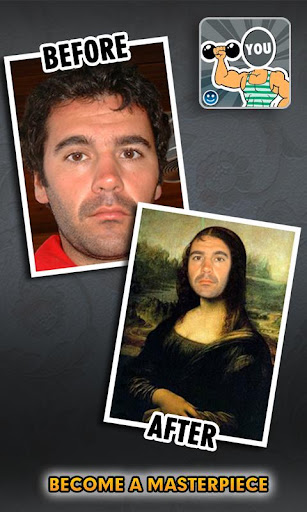
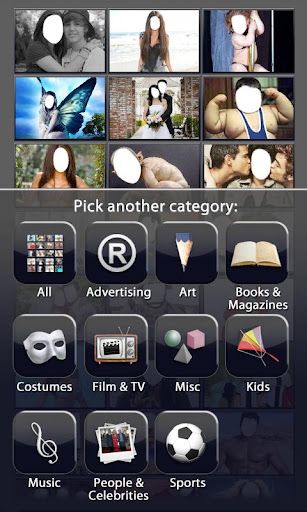
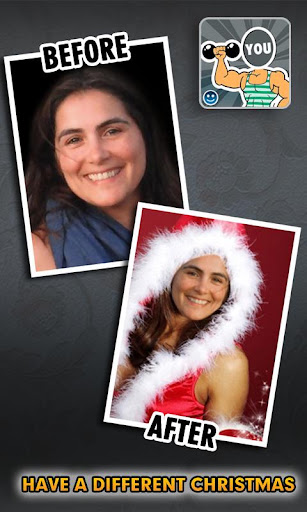
FACEinHOLE v2.2 play.google.com.faceinhole

Required Android O/S : 1.6+

Who do you want to be today?
 ★ Turn yourself into a movie star, a supermodel, a rock band member, ...
 ★ Access over 200.000 scenarios
 ★ Multiple person scenarios

What's in this version : (Updated : Apr 16, 2012)
  • multitouch editing (turn multitouch on/off on the settings menu) 
  • HD scenarios 
  • app optimization & bug fixes 
  • Facebook updated


Download : 1Mb APK
 

Rabu, 18 April 2012

InstaCamera Pro v1.20

InstaCamera Pro v1.20 play.google.com.camera.pro

Required Android O/S : 2.2+ 

InstaCamera is the quickest way to take a photo with your phone.
There's no long process: just press the widget and it takes a photo, then closes just as quickly.


Why should I pay for this when there's a free version?
* This one's quicker. Like, seriously 'turbo computer-brains Skynet' quicker
* There are no ads
* You can choose the folder your images get saved in
* Because you want to say "awesome!" with money
Why is it so awesome?
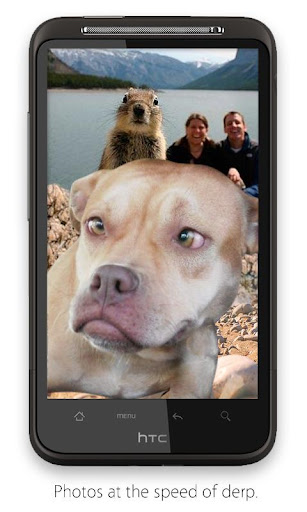
InstaCamera is perfect for when you want to take a photo but there's tons of pesky seals and squirrels and dogs around who you KNOW are gonna pop up in front to spoil the shot. And then they're all, 'oh, I was smelling something' but really they're jealous of your Android phone and opposable thumbs and want to ruin your whole day with their stupid faces. But you've got a super-fast camera app, so you've snapped a photo before they've even decided which face to pull. Take that, nature!
Settings
Even though the app is super-simple, you can change how it works. Open the settings (the wrench icon on the widget) and you can make these adjustments:
* choose the folder your photos get saved in
* take multiple shots in a row (up to five)
* mute the shutter sound
* change the photo resolution (default is max)
* set the focus mode (including fixed, infinite, auto and macro focus modes)
* set the shutter delay (from not-even-focusing to two seconds) in case your camera hardware needs extra time
* stay in camera mode after taking instant photos (then you touch the screen to take more, and back button to quit)
There are two widgets: the 1x1, which is just the camera button, and the 2x1, which has a camera button and a settings button.


Download APK
http://fileband.com/cs3r9d0pfy4k.html instaCamera Pro v1.20

http://filemac.com/b9qvcf4b2hwr.html InstaCamera Pro v1.20

Selasa, 17 April 2012

FlickFolio for Flickr HD v2.7.0


FlickFolio for Flickr HD v2.7.0
Requirements: Android 1.5
Overview: FlickFolio is a fast viewer and batch uploader for Flickr that will auto download your photos for fast offline viewing.

Take Your Photos With You :.
FlickFolio auto downloads your photos for fast offline viewing. The auto downloads are small and sync while your phone charges.

.: Explore :.
Explore the day's interestingness, your contacts, your groups, and your favorites. Search Flickr, your own photos, or your contact's photos. When you find a new favorite, add it to your favorites or add comments.

.: Show Off :.
The presentation is very clean for showing clients or family. FlickFolio optimizes photo size for your phone or tablet, downloading extra large photos for tablets.

.: Easily Upload Your Shots :.
Batch upload multiple photos at a time in the background while you do other things. Simply share photos or videos from your gallery with FlickFolio to upload them to Flickr.

.: Additional Features :.
∙ A beautiful and intuitive gallery that works great on phones or tablets
∙ Enhancements for tablets running Honeycomb (Android 3.0)
∙ View interestingness, contact photos, contacts, favorites, and groups
∙ Search Flickr, your own photos, or your contact's photos
∙ Batch upload photos with custom titles, privacy settings
∙ Uploads with geolocation (when available)
∙ View and add photo comments
∙ View and add favorites
∙ View photo EXIF information
∙ Set pictures as wallpaper
∙ Full screen slideshows
∙ Send URL of photo
∙ Share using email, Facebook, and Twitter
∙ WIFI only setting to only download when you're at home
∙ Change download location to SD card or any directory you choose

http://fileband.com/bofvu7v1d1p9.html

http://filemac.com/peo7pmynoi67.html


Sabtu, 07 April 2012

Pixlr-o-matic v2.1.1

Pixlr-o-matic v2.1.1
Requirements: Android 2.1+
Overview: Add retro effects to your photos in a snap!


Awarded 2011’s "Best App Ever" award for the Best Photo Editing App on Android by 148apps.com

You can add fun retro effects to your photos in a snap and transform your photos into cool looking vintage images. Editing is as easy as one, two, three with Pixlr-o-matic to add effects, overlays and borders. So many options to choose from, there are more than 2,000,000 possible finishes to make your photos look spectacular!

Features:
✓Color overlays help you adjust the mood – amplify the tone, cool it down, or add surreal shades
✓Lighting effects add drama, sparkle or a grunge look
✓Finish off your photo process with the right frame – pick a border style that fits you
✓Want it all in a single swipe? Try the randomizer and we’ll select an effect, overlay, and border for you.
✓No camera required! Select a photo from your gallery and start applying effects. If your device has a camera, you can also snap a new picture from within the app
✓Share your vintage image directly with your friends through Facebook or imm.io
✓Export your finished image back to your gallery. Images can be saved in high resolution, depending on the resolution of the original image

Millions of users and critics agree!
"Pixlr-o-matic is a brilliant photography app and well worth trying out."
-androidtapp.com

"The sheer number of filters and effects to add to your photos are mind-boggling."
-appstorm.net

"Why is this app so addicting? Because it’s so fun to use."
- thephoblographer.com

What's in this version:
✓Settings
✓1:1 Cropping (Square)
✓Updated effect engine, new possibilities for coming effects
✓Improvements and bug fixes.

Download:
http://www.filesin.com/3A04B194116/download.html

http://turbobit.net/mdp1aqdxwoh8/Pixlr-o-matic_v2.1.1.apk.html