Tampilkan postingan dengan label Music Audio. Tampilkan semua postingan

Senin, 14 Mei 2012

J4T Multitrack Recorder v2.45


J4T Multitrack Recorder v2.45 play.google.com.multitracker
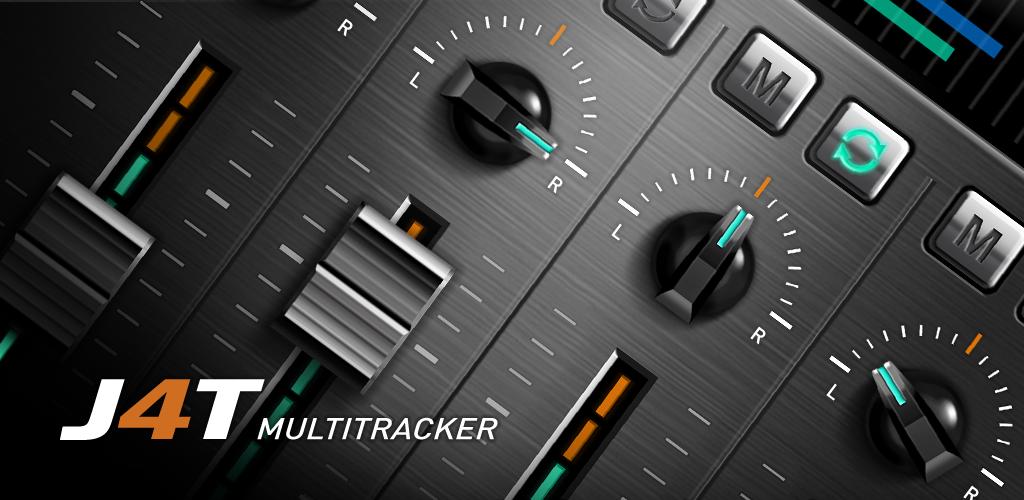
J4T Multitrack Recorder is a basic 4-track recorder. Great for recording your song ideas and demos.
Planned Features:
✯ Track editing (cut/copy/paste)
✯ Adding effects (reverb/delay etc.)

Features:

  • 4 tracks with individual volume-controls 
  • Export to wav or mp3 for desktop editing. 
  • Import music files (wav and mp3). 
  • Adjustable samplerate. 
  • Loop function 
  • Metronome 
  • Stereo panning 
  • Copy-function for quick duplication. 
  • Mix multiple tracks down to one to free up tracks 
What's in this version : (Updated : Apr 29, 2012)
  • Fixed issue with mp3 import
  • Fixed hidden lyrics/notes
  • Share option added for sharing exported files with apps like SoundCloud, Google Drive, Gmail, DropBox etc.
  • Default samplerate adjustable in setting
Required Android O/S : 2.0+


Download : 1.3Mb APK

http://filemac.com/u50zff1iioaq.html J4T Multitrack Recorder v2.45


Selasa, 01 Mei 2012

ZPlayer v3.1.5


ZPlayer v3.1.5 play.google.com.wpmusic
Welcome to ZPlayer a Windows Phone 7 / Zune themed player, a better richer and more interactive media player.
Get album reviews, artist biographies, top tracks, playlists, related artists and podcasts (audio/video) all in one application.

+ Swiping the homescreen to the left/right shows the 'current playing' song and listening history. 
+ To jump to the 'now playing' screen, use the volume controls to reveal the music controls, and then tap on the song name(in bold) or the artist name.

Now with more widgets, fast forward and rewind controls, headset controls home screen customization, equalizer, audio effects. You can start with your own media, and learn about other artists, other tracks and what other people are listening too. Pair this media player with a last fm account and submit likes, now playing status, and scrobble tracks.

Note:
The Application uses android framework Audio Effect API, this API was introduced since android 2.3. Therefore only devices that have at least Android version 2.3 will be able to take advantage of this feature.

if you use a third party equalizer that controls the output mix for all media playing on the device, disable it before using this application. This application needs to control its own audio effects.
* audio effects implemented include Equalizer, Bassboost and Virtualizer based on Android 2.3

What's in this version : (Updated : Apr 28, 2012)
  • bug fixes
  • ics tweaks
  • added long click actions for tracks in all screens
  • adjusted homescreen text size
  • added 'single tap' setting to play albums from homescreen
Required Android O/S : 2.1+


Download : 2Mb APK

Livio Car Internet Radio Pro v1.41


Livio Car Internet Radio Pro v1.41 market.android.com.livioradio
To stop and start audio: Tap the scrolling station or song text.

To unload app: Stop audio, tap back key from main screen.
GPS is used to locate local stations in the area when browsing stations.
Stations include: 1.FM, 181, 1Club, 977, AccuRadio, All Danz Radio, Boston Pete, CBS Album Premiere, Digitally Imported (DI), Got Radio, JazzRadio, Ministry of Sound, PowerHitz, Reunion Radio, Soma FM, Yahoo! Radio and more!


The iPhone version of this app was named a Top 20 finalist at the 2010 International Consumers Electronics Show’s Mobile Apps Showdown and the AT&T Open Call contest for developers at CTIA Wireless 2011.
Optimized for in-vehicle use with a range of features, the Livio Car Internet Radio represents the future of mobile Internet Radio.

Optimized for the vehicle:

VARIETY: Browse more than 45,000 AM/FM and Internet-only radio streams from around the world in partnership with the RadioTime® radio service.

DESIGNED FOR IN-VEHICLE USE: Large preset buttons with horizontal or vertical positioning.

EASY SEARCH OPTIONS: Browse streams by genre, location, or language, and search by call letters or keywords. Find local stations based on current GPS location.

LISTEN IN THE BACKGROUND: Stream audio in the background while using other applications on your Android device.

SELECT FAVORITES: In addition to the on-screen presets, users can add thousands of stations

A BUILT-IN PHONEBOOK: Store popular phone numbers for easy access.

STATION HISTORY: Track stations users have listened to and enjoyed

SOCIAL NETWORKING CONNECTIVITY: Share favorite stations and songs with friends and followers on Facebook and Twitter.

DIRECT TUNE: Input a radio station’s unique code to begin streaming the broadcast.

RELIABITILY FILTER: Adjustable reception settings to receive only the clearest stations available.

SWIPE FOR RECOMMENDATIONS: Swipe the on-screen tuner and the app will recommend a similar station for you.


Required Android O/S : 1.6+


Download : 2.2Mb APK

http://filemac.com/kubssvatb1hr.html Livio Car Internet Radio Pro v1.41
   

Sabtu, 28 April 2012

SoundGarage Pro for SoundCloud v2.0


SoundGarage Pro for SoundCloud v2.0 play.google.com.soundcloud.premium
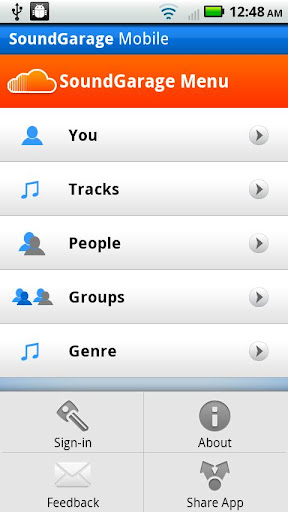
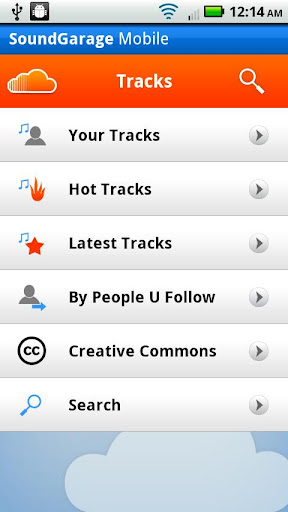
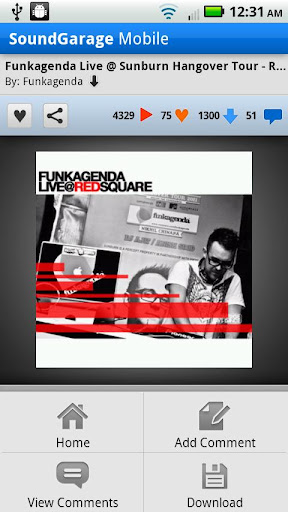
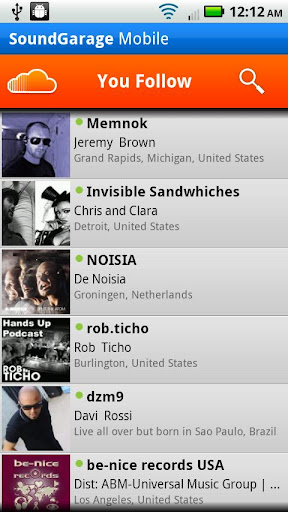
Stream and listen to your favorite SoundCloud tracks, browse search and download tunes from other artists, groups or genres, and keep finding new music to listen to from SoundCloud on your mobile phone! Follow other users, view artist profiles, share on Twitter, Facebook, Email etc, and comment on tunes directly from your Android phone.

Features:
  • Browse your tracks, groups, favorites
  • Seamless streaming and playback
  • Download Tracks to SDCard
  • Listen to your and others users Favorite tracks
  • Listen to tracks from other artists
  • Listen to live recorded DJ Sets and Mixes
  • Listen to recorded messages and Podcasts
  • Listen to "Private tracks"
  • Listen to Creative Commons music
  • Browse by Genre and Groups
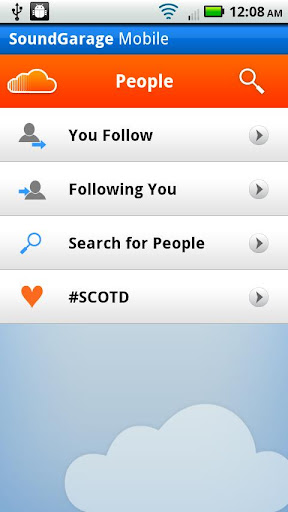
  • Browse People you follow or following you
  • Search Tracks, Groups, People, Genre
  • Share Tracks, Share Group, Share User Profile on Facebook, Twitter, Tumblr, Blogspot, Email etc.
  • Follow/Unfollow other users
  •  Artists Recommendations from Echo Nest
  • SoundClouder of the Day (#SCOTD)
What's in this version : (Updated : Mar 27, 2012)
  • Fixed White screen issue on ICE_CREAM_SANDWICH or Android 4.0
  • Fix for crash on Samsung Galaxy S2
  • Added a Settings Menu
  • Automatically publish SoundCloud Favorites & NowPlaying tracks to Twitter
  • Automatically publish SoundCloud Favorites & NowPlaying tracks to Facebook
  • User-friendly messages for sharing tracks, user profile or SoundCloud groups
  • Bug fixes for user reported issues
  • Note: If you see an error "SoundCloudAPI Error", please logout of the app and try to login
  • again.
Required Android O/S : 1.6+


Download : 1.75Mb APK

Minggu, 22 April 2012

RD3 HD - Groovebox v1.5.2


RD3 HD - Groovebox v1.5.2 play.google.com.mikrosonic.RD3X

Required Android O/S : 2.1+

Use your Android phone or tablet as a musical instrument and make your own electronic music tracks!
Recreate the sound of early electronic dance music with the RD3 HD – Groovebox that recalls two 303-style analog synthesizers, a drum machine plus reverb, distortion, phaser, filter and delay audio effects!

Developed in Berlin, RD3 HD - Groovebox is a pioneering audio app that lets you program your own grooves. This multi-touch enabled app makes it simple to invent unique loops and manipulate them with resonant filters and effects on the go.

Appropriate both for experienced musicians and novices.

Use it for live performances in landscape mode on phones and 7-inch tablets or use the additional special rack view on 10-inch tablets in portrait mode.

RD3 HD is optimized for Android 2.3 (Gingerbread), 3.X (Honeycomb) and Android 4 (Ice Cream Sandwich).

Loops you've created and exported with the Groovebox can also be automatically integrated into mikrosonic's audio mixer app SPC - Music Sketchpad.

Features:
Channel mixer/sequencer:

  • Volume control with level meter
  • 4 bars with 16 steps per instrument
  • 3 play modes: Solo, loop or random
  • Channel mute
Two virtual analog synthesizers:
  • 4 types of waveforms for each synth
  • Reminiscent of the legendary 303 synthesizer
  • High-quality or regular filter modes
  • Real-time step sequencer for each synth
  • Free assignable audio effects
Drum machine with:
  • 10 drum kits: 808, 909, 606, CR-78, Linn, KR55, RX11, RZ1, DMX, DPM48
  • Channel mute
  • Punch control for volume and envelope adjustments
  • Accent programmable for each drum channel
  • Free assignable effects for each drum sound
  • Real-time step sequencer
Audio effects:
  • Reverb, distortion, filter, phaser and delay
  • Real-time controllable
  • X/Y control field for each effect
  • 4 effect sends
  • Chaining of 2 effects
Technical features:
  • Special rack view in portrait mode for 10-inch tablets
  • Multi-touch control
  • Live session recording
  • Audio loop export feature
  • SoundCloud Sharing Kit integration
  • Session save capability
  • Cut/copy/paste pattern
  • OpenSL support
  • App2SD
What's in this version : (Updated : Apr 18, 2012)
  • Fixed: Export of 4 bar loops (version 1.5.2)
  • Optimizations for Tegra 2 cpu's (version 1.5.2)
  • Enhanced effect section
  • 5 audio effects: Reverb, delay, phaser, filter and distortion
  • Real-time controllable effects with X-Y control field
  • 4 effect sends
  • Chaining of effects
  • Drum machine improvements
  • Mute button for each drum channel
  • Individual accent settings for each drum channel
  • New demo songs
  • Bugfix: Energy settings restored when sending app to background
  • OpenSL bugfixes
  •  Screen resolution 800×480 (WVGA) or higher
  • 800 MHz CPU or faster supporting ARMv7


Download : 3Mb APK

Radio Alarm Clock v1.1 (paid ver.)


Radio Alarm Clock v1.1 (paid ver.)

Android 1.6+


Listen to your favorite programs!
Easily browse Radio Categories that fit your specific likes!

Radio Alarm Clock combines and advanced Alarm Clock with a Radio Streaming Software capable of playing thousands of top quality radio stations from all over the world.
Radio Alarm Clock boast top reliability for the carefully selected updated live radio streams. New Radios are constantly being added so you never miss your favorite programs.

Set as many Alarms, Naps, Timers and Chimes as you want and keep them organized by names and simple activation buttons.

A Radio Player Widget!

Radio Alarm Clock application also includes a widget allowing you to play your preset favorite radio station with the push of a button, and adjust it's volume without changing your phone's profile or general volume settings. Our widget displays weather informations updated on a continuous basis.You can set the application to receive local weather information as well as for any other city in the world.

Wake up with a smile!

Radio Alarm Clock has many pre-alarm setting features:

Night mode, Silent mode, Fade in Time, Daylight Delay, White Noise!

Pre-alarm white noise feature get's you gently out of your deep sleep before playing one of Alarm's ringtones, or any radio station channel you added in your favorites.

Snooze as many times as you want!

Download : 3mb
http://filemac.com/1xyxt9omc4eg.html


http://fileband.com/y363sddd9aoa.html


Rabu, 18 April 2012

Akimbo Audiobook Player v1.5.5.01


Akimbo Audiobook Player v1.5.5.01 play.google.com.akimbo.abp
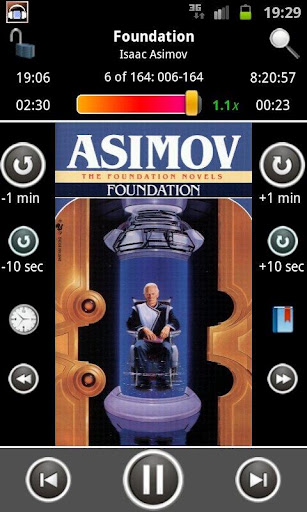
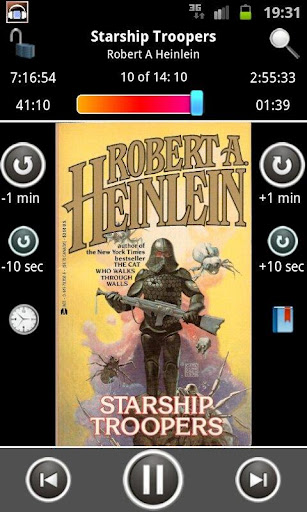
It is specifically tailored for audio book formats (M4A, M4B, MP3) and comes equipped with various features such as: identify chapters and covers in all types of books; maintain position and volume per book; partial speed control support (see below); allow numerous ways to change your position (from configurable step button to a “go to any position” dialog), bookmarks and more…

IMPORTANT NOTE: due to the differences in audio capabilities between different Android OS versions and device models, it is recommended you install the trial version before using this application, to ensure that your audio files are playable on your device: https://market.android.com/details?id=com.akimbo.abp.trial

Notable features:
  • Supports all the major audio book and other audio formats: M4A, M4B (including iPod chaptered books), MP4, MP3, ogg vorbis.
  • Reads cover images and chapter information from within audio book files.
  • Parses WMA and FLAC (actual ability to play depends on your device).
  • Maintain your last position and last set volume level for each book.
  • Partial play speed control (IMPORTANT: requires purchase of Presto app and is limited to MP3 and OGG formats, will not work on M4B books).
  • Allows bookmarks for each book.
  • Configurable step buttons for quick shifts forwards or backwards.
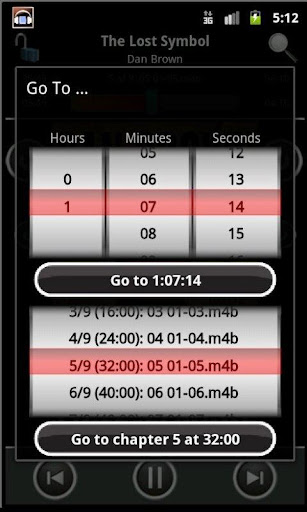
  • Easy to use “go to” dialog that will take you instantly to any chapter or position throughout the book.
  • Home Screen Widget.
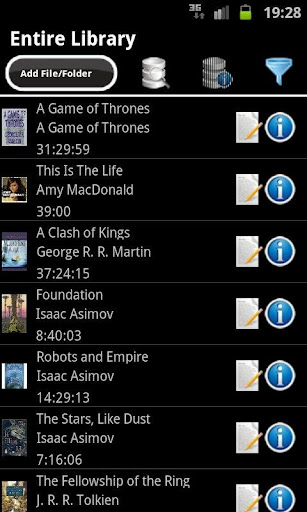
  • Allows a one-click automatic download of covers for any book, or for your entire library at once.
  • A configurable “lock” mode, which prevents accidental changes of position during play.
  • Sleep Timer, pausing play after a specified time.
  • Loads your entire library at once: offers a one-click scan of any folder tree on your device.
  • The player screen offers a host of accessibility and experience improving features, including large-font and human voice indication (and approval) for your actions.
  • Allows undoing and redoing any accidental change in position while listening.
  • For easy listening to your audiobook without looking at the screen (while engaged in some other action or for the visually impaired) it offers a range of accessibility features (including human voice indications) as well as an option to lock the player against accidental changes.
The player is highly recommended not just for audiobooks, but for any episodic format, such as music albums or podcasts.

A note on permissions:
  • Internet access is only done at your express request to download covers (it is never launched without a user pressing the download cover button). No personal information is ever sent outside your phone.
  • Access to your phone’s state is required to pause the player when a call comes in. No other use of this permission is made.
  • Writing to the external storage is required if you choose to save the app’s data (library, images, etc.) on the SD card, instead of the device’s internal storage. No other use of this permission is made.
  • Battery status and wake lock permissions are used to prevent locking the device (when configured by the user) when playing or when playing while connected to a power source.
What's in this version : (Updated : Apr 1, 2012)
  • When adding files/covers - sort the contents of a folder
  • Fixed issue in duration in some types of MP3 files (1.5.5 and 1.5.5.01 updates)
Required Android O/S : 2.1+


Download : 5.6Mb APK
http://fileband.com/i0ber4v4xp0s.html Akimbo Audiobook Player v1.5.5.01

http://filemac.com/c2rm4ta0u88j.html Akimbo Audiobook Player v1.5.5.01